What is Blob Opera?
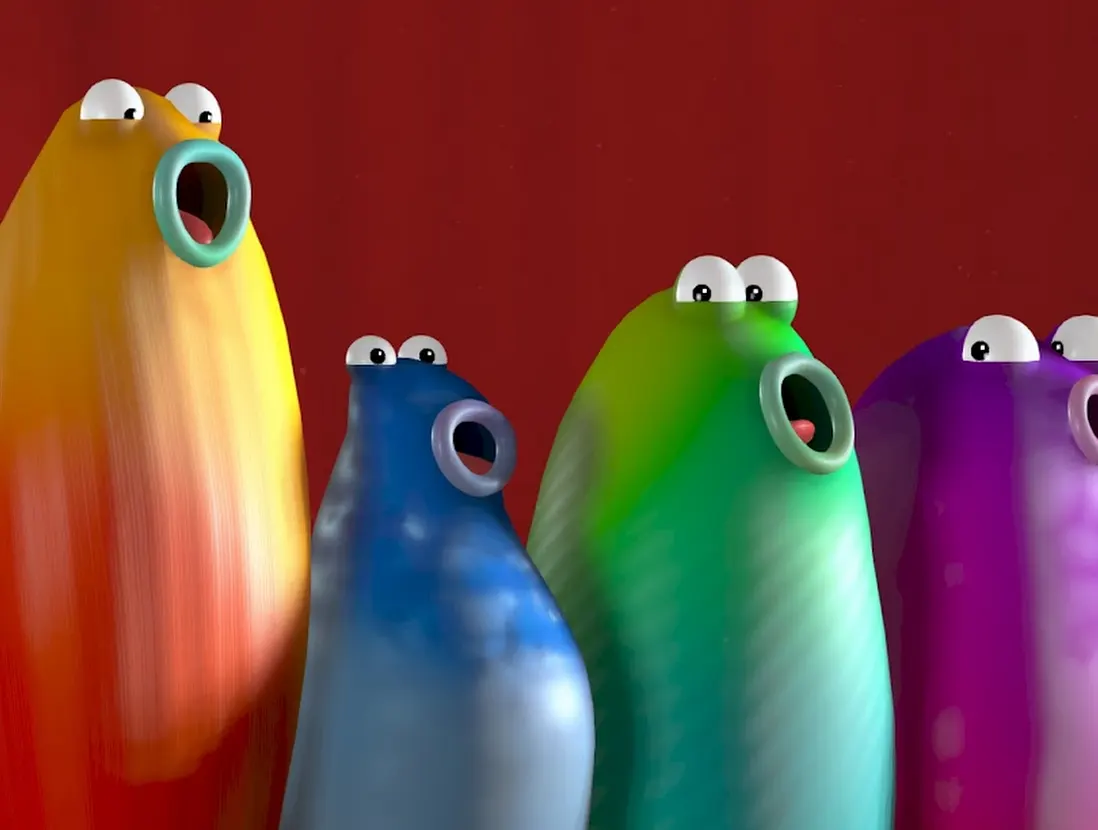
Blob Opera is a machine-learning music experiment created by artist David Li in collaboration with Google Arts & Culture. It first appeared in late 2020 and turns a four-part vocal ensemble into a playful instrument that runs in a web browser. You do not sing into a microphone or read notation. Instead, you move colorful characters and hear an opera-inspired performance respond immediately. The design is intentionally approachable: a first-time visitor can discover the main controls by experimenting, while a musician can listen more closely to pitch, vocal range, vowel color, and harmony. This page embeds the original Google-hosted experiment; the surrounding guide and learning tools are provided by this independent fan site.
The Four Singers Behind the Experiment
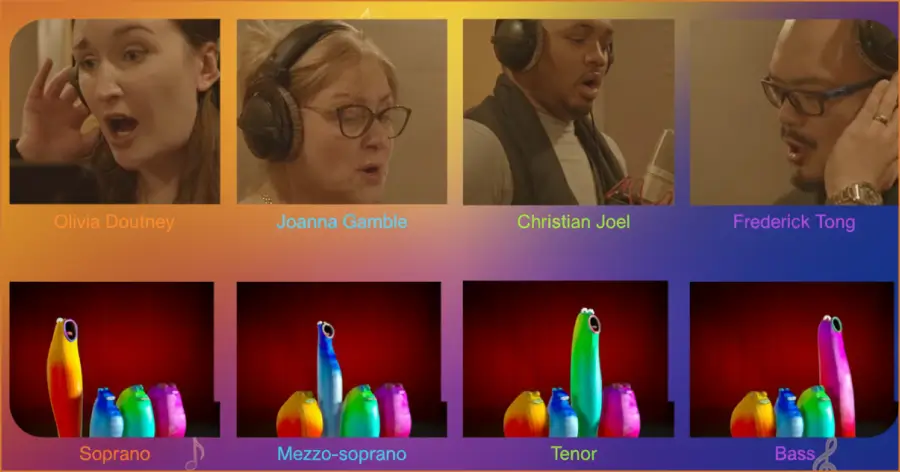
Google's official credits name four professional singers who contributed the source material: tenor Christian Joel, bass Frederick Tong, mezzo-soprano Joanna Gamble, and soprano Olivia Doutney. Together they recorded 16 hours of singing. Google is careful about an important distinction: the sounds in the finished experiment are not simply clips of those performances being replayed. A machine-learning model was trained on the recordings and produces its own interpretation of the four voice types. The singers supplied the musical knowledge and expressive examples from which the experiment learned. Additional singing is credited to Ingunn Gyda Hrafnkelsdottir and John Holland-Avery.
How the Machine Learning Works
The public explanation is straightforward and does not disclose every engineering detail. According to David Li, the team fed the 16 hours of singing into a convolutional neural network that learned to reproduce each represented voice type. A second machine-learning model handles harmony. When you control one blob, the others respond to your input and harmonize in real time. That division explains the experience: one system gives the blobs their opera-like voices, while another coordinates the ensemble. Claims about a particular neural vocoder, training annotation system, model size, or browser inference framework are not included here because Google's published materials do not specify them.
How to Control the Blobs
Drag a blob vertically to change its pitch. Moving higher produces a higher note; moving lower produces a lower one. Moving in the other direction changes the vowel quality, which reshapes the tone without requiring you to choose a phonetic symbol or operate a separate control. The remaining voices follow with harmony, so a single gesture can create a complete vocal texture. There is no score to win and no fixed sequence to memorize. Try slow movements first, pause to hear how a sound settles, and then explore wider jumps. The experiment is best understood by listening to the relationship between your gesture and the whole quartet.
Bass, Tenor, Mezzo-Soprano, and Soprano
The quartet represents four familiar operatic voice categories. Bass occupies the lowest register, tenor sits above it, mezzo-soprano provides a lower female register, and soprano reaches the highest register of the group. These labels describe vocal roles and ranges; they are not rankings of skill or importance. In Blob Opera they make the layers of the harmony easy to hear. Listen first to the lowest foundation, then notice how the middle voices fill the space and how the soprano adds the upper line. Actual singers have individual ranges and timbres, so the blobs should be treated as a playful introduction rather than a complete lesson in professional voice classification.
What to Listen For
Start with register: identify the lowest and highest sounding parts before trying to follow every voice. Next, hold one gesture long enough to notice the tone color, then move in the vowel direction while keeping the pitch as steady as you can. Finally, make one slow pitch change and listen to the response of the full group. You may hear stability, tension, motion, or a change in balance, but those words describe your listening experience rather than hidden labels supplied by the model. Repeat the experiment with another blob and compare the result. This kind of focused listening is more reliable than trying to reverse-engineer the system from one performance, and it turns a playful interaction into a useful introduction to ensemble awareness.
Recording and Sharing a Performance
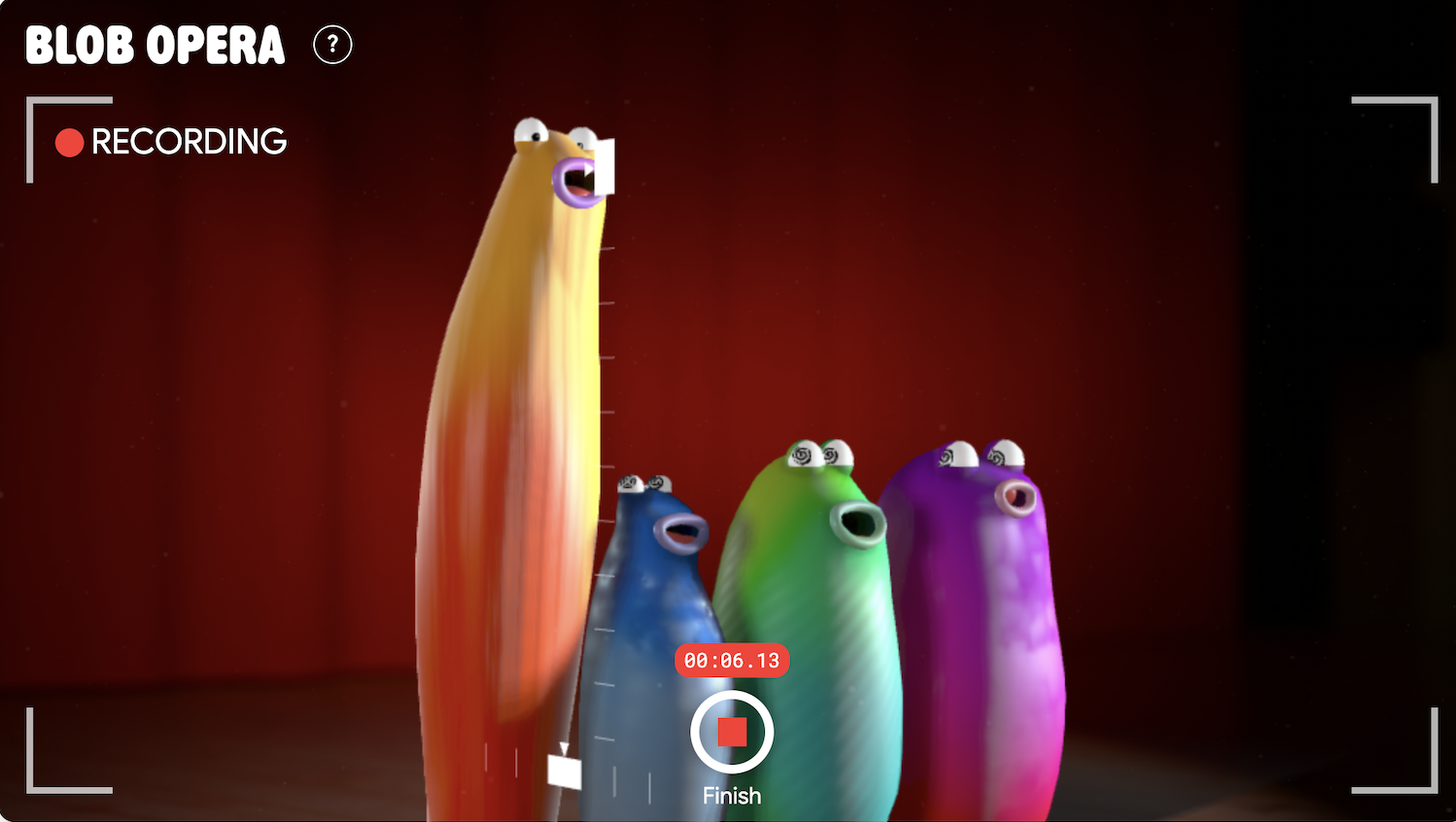
The original experiment includes recording and sharing features. A recording preserves the gestures that drive the performance, allowing the blobs to reproduce the musical result when the shared link is opened. This makes short compositions easy to pass to friends or use in a lesson without creating an account on this fan site. Recording also changes the way you play: instead of testing isolated sounds, you can plan a beginning, a contrasting middle, and an ending. Keep the first attempt short, listen back, and make a second version with one clear change. That simple cycle is a useful introduction to musical composition and revision.
Songs, Places, and the World Tour
Blob Opera began as a holiday experiment with optional preset songs, including seasonal material. Google later expanded the idea for a world-tour version. Its official story describes backgrounds and local songs connected with places such as Cape Town, London, Mexico City, New York, Paris, and Seoul, with examples including “Frère Jacques” and “La Bamba.” These presets demonstrate what the voices can do, but free play remains the central attraction. Features and available locations may change as Google updates the hosted experiment, so this site does not promise a fixed list of cities or songs.
A Playful Experiment, Not a Voice Simulator
Blob Opera is most accurate when described as an interactive opera-inspired experiment. It is not a substitute for vocal training, a scientific model of every singer, or a tool for judging a person's voice. Its strength is that it makes several musical ideas audible at once: register, pitch movement, vowel color, ensemble balance, and automatic harmony. Google also notes that the experiment uses modern web-audio technology and may not perform optimally on older devices. If playback is uneven, close other audio-heavy tabs, use a current browser, or open the official experiment directly. Headphones can make the individual parts easier to distinguish.